- DATE:
- AUTHOR:
- Dutchie Product Team
Dutchie POS 1.172: Custom expiration for loyalty point boosts and adjustments; new segment criteria; pick tickets to reflect order type instead of customer type
Projected release dates: 1/19/26-1/22/26. Subject to change.
Enhancements
Loyalty + Marketing
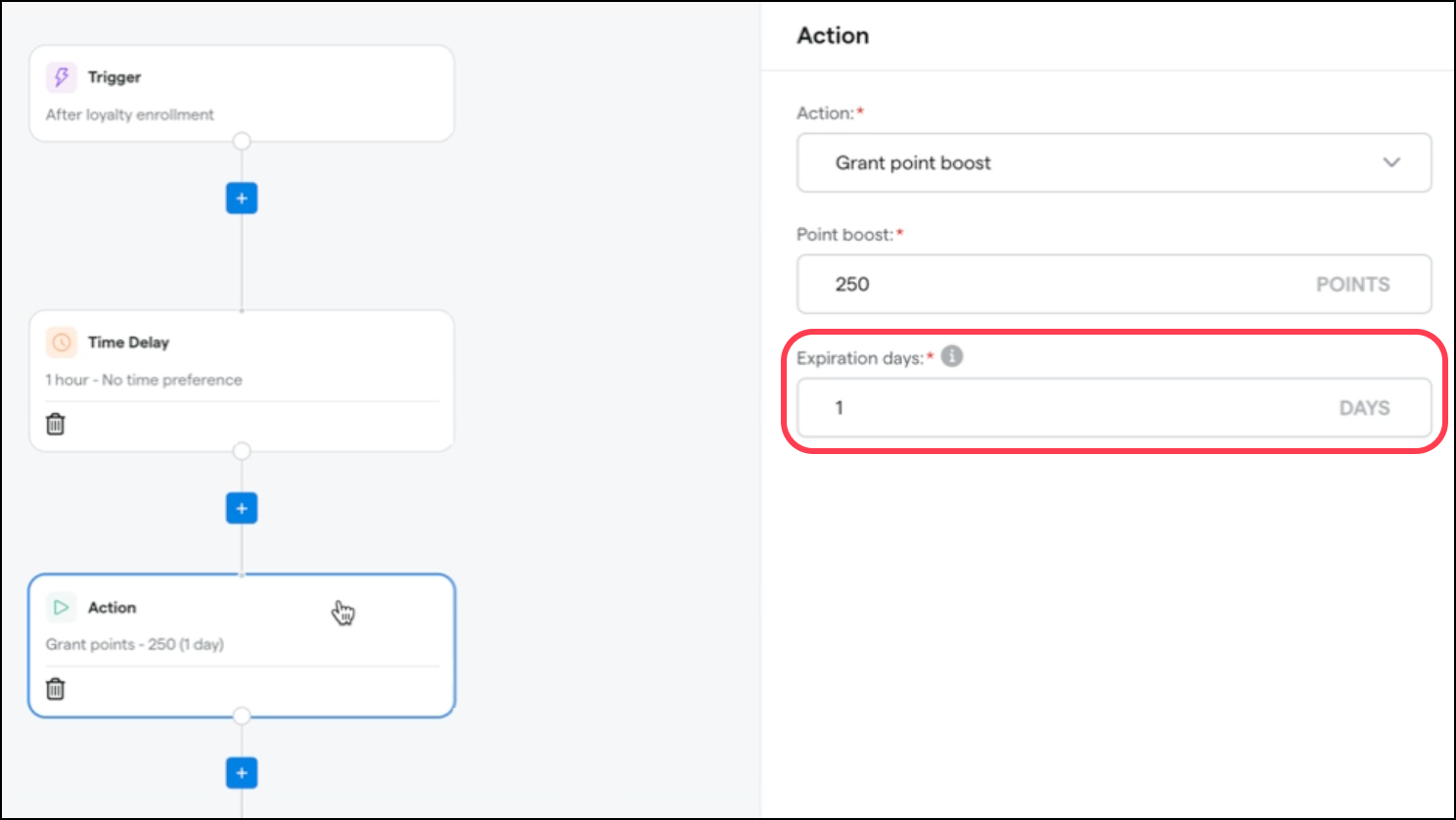
Custom point expiration allows you to specify a number of days until points granted via a point boost will expire. When creating a point boost in Workflows, an Expiration days field will now appear. Points customers earn from satisfying the workflow will expire after that many days, regardless of whether or when your loyalty points normally expire. If your loyalty points never expire, this field is optional.
We’re also adding custom expiration to manual point adjustments. Create a new loyalty adjustment reason and optionally enter a number of Expiration days. Any points granted when using this adjustment reason will expire after that many days. The number of days will also appear next to the adjustment reason name for reference.
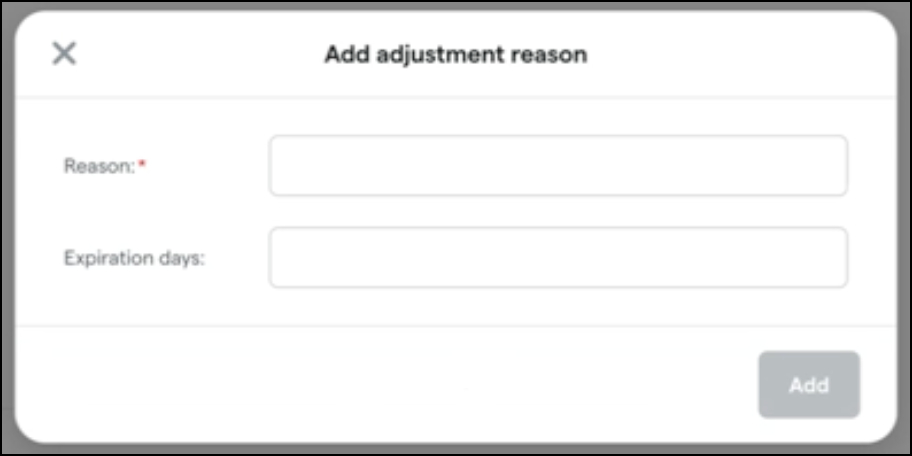
If adjustment reason options don’t appear in your register when adjusting points, contact Dutchie Support to have this feature enabled for your location(s).
Customers
We’re adding these new criteria to segments:
Under Attributes of someone:
Loyalty opt-in date
Most used device type
Under Predictive analytics about someone:
Spend to next loyalty tier
Points to next loyalty tier
Under What someone has or has not done:
Total categories shopped
Total brands shopped
Has purchased from device
Average discount percentage
Promotional purchase rate
Register
Pick tickets for preorders will reflect order types as opposed to customer types (i.e., recreational orders by a medical customer will be noted as recreational on the ticket).
Reports
Brands will now appear in the Inventory Receipt Report - Detail.
Fixes
This release includes fixes for the following issues
Exports of reports scheduled for “last day” reflect data from incorrect time frames.
Lab data that exists in Metrc is not automatically fetched for some packages in Minnesota and Louisiana.
